Removing secondary account from Teams🔗︎
TL;DR🔗︎
If you have an additional account in Teams that you want to remove, but it doesn't show in Windows Settings > Accounts > Access work or school, log out of Teams (primary account), let it reload, then log out of the secondary account.
Issue🔗︎
When joining customer-initiated meetings, Teams forces authentication using one's account in the customer's tenant.
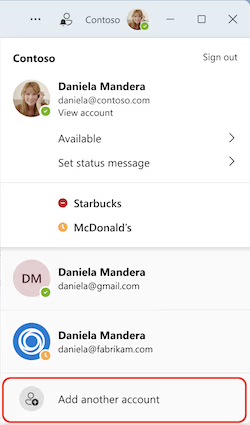 If you work across multiple tenants/accounts/directories within the Microsoft ecosystem, I feel your pain. I am pretty certain all their developers have one account and never have to switch. At some point in the past, before my company federated with a customer, I used my user account from a customer's tenant (
daniela@fabrikam.com) to connect to Teams. This is a secondary account. My primary/home account is daniela@contoso.com.
Now we are federated*, I don't need to use daniela@fabrikam.com to communicate with the customer. However, if I join a meeting invite from the customer, Teams wants me to log in as daniela@fabrikam.com. The authentication dialogue does not support browser extensions (LastPass/ZohoVault), so joining a meeting and having to authenticate results in me joining 3 minutes late. Not good. Recently the issue has been compounded. When Teams tries to switch accounts, it freezes with a blank screen and I can't do anything until I exit Teams completely. The workaround has been to use Teams in a browser that uses my home account.
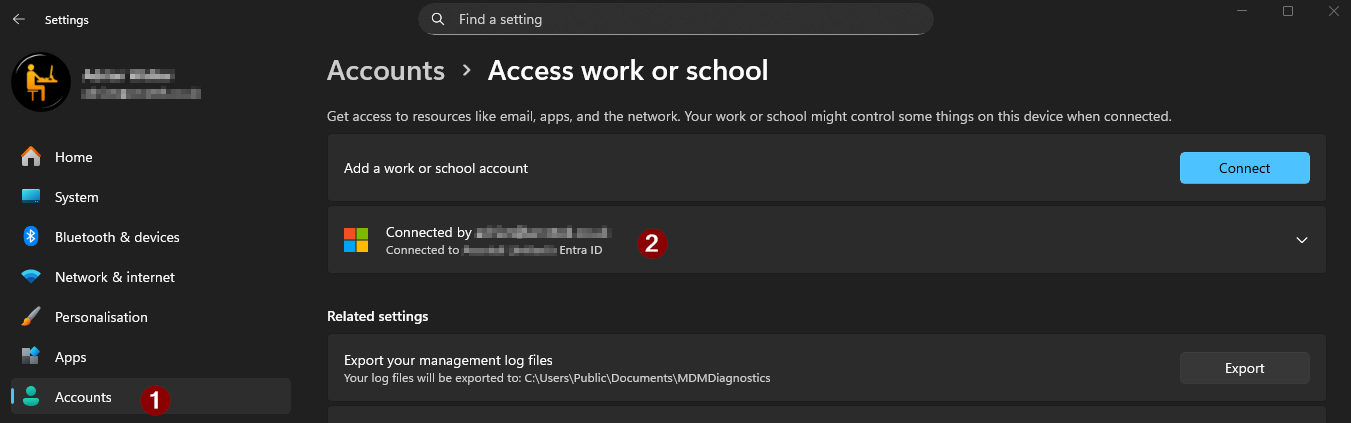
It would be a reasonable assumption that one could simply remove the account from within Teams, perhaps a right-click operation on the offending account. Alas, not the case. Many online articles point to removing the secondary account from Windows Settings > Accounts > Access work or school. However, if, like me, you find only your primary account is listed, this won't help:
Solution🔗︎
The solution is infuriatingly simple.
- In Teams, click your account avatar (top right).
- Click
Sign out(from your main/home account) - Let Teams do its thing. It should attempt to reconnect changing your secondary account to primary. i.e. you'll be logged in with just your secondary account.
- Again, click your avatar and click
Sign out. - Teams will do its thing again. Depending on how you're set up, you'll either have to sign in to your primary account or SSO will sign you in automatically.
*Federated
Technically, "Federation" relates to ADFS. Within the Entra landscape, it's now referred to as external access. However, oldskool Engineers often use the terms interchangeably. The external access feature is found within the Teams admin portal. Other names include cross-tenant access, B2B collaboration or B2B direct connect.
